Understanding Network Devices
Introduction: A Trip to Hong Kong Disneyland
Have you ever planned a trip to a faraway place—say, Hong Kong Disneyland?
You don’t just wake up and magically appear there.
You need:
a taxi to reach the airport
an airport shuttle to reach the terminal
an airplane to cross countries
another airport bus after landing
and finally, another taxi to reach the exact destination
Now ask yourself:
Can you reach Hong Kong Disneyland using only one of these?
Only a taxi? Impossible.
Only an airplane? Also impossible—you still need to reach the airport first.
Each mode of transport has one clear responsibility.
Together, they make the journey possible.
Data on the internet travels the same way.
Not through one magical device—but through multiple networking devices, each doing one specific job.
In this article, I will calmly walk you through:
what each networking device does
why none of them are optional
and how data actually reaches your device
The Big Picture: How the Internet Reaches Your Home or Office
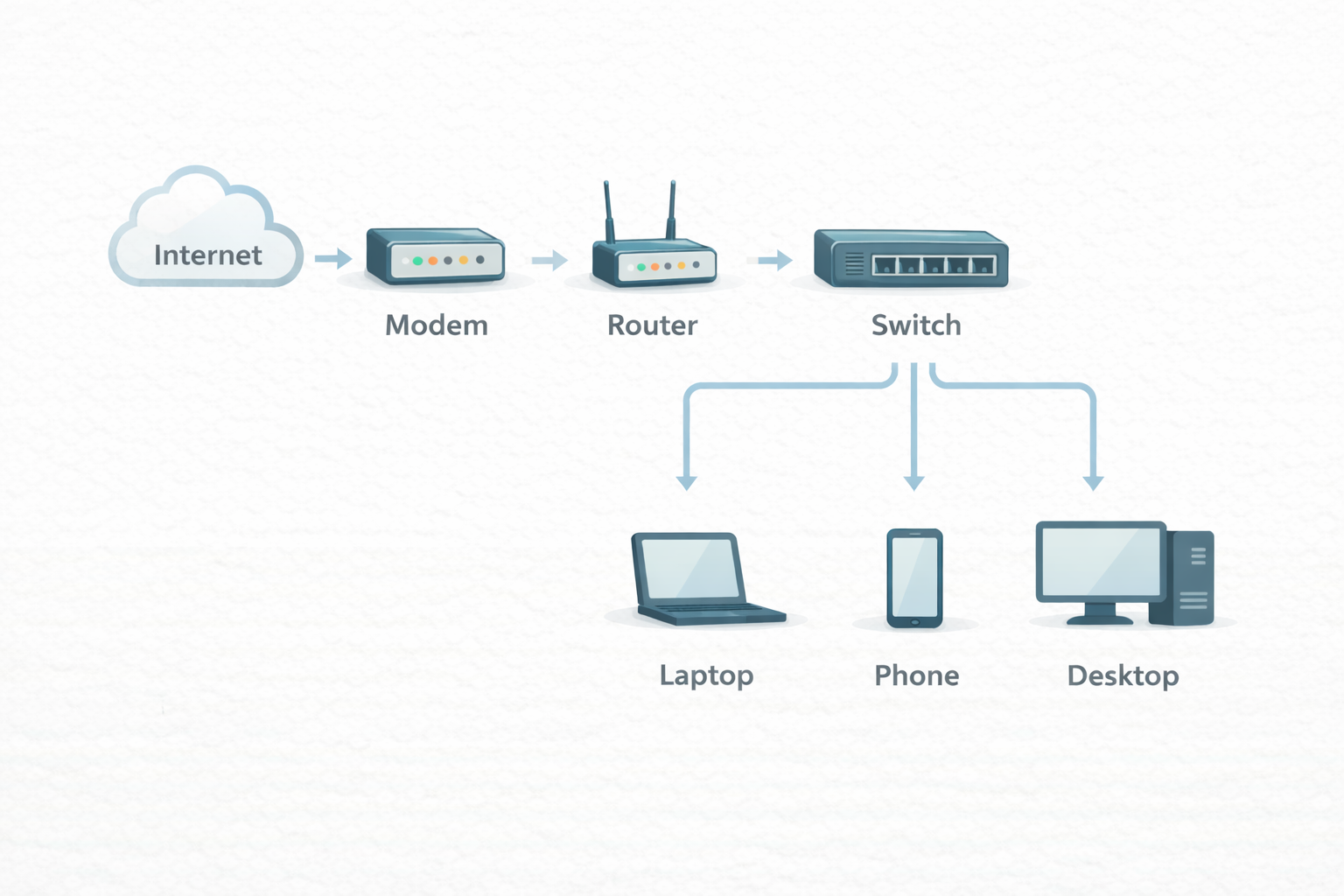
Before zooming into individual devices, let’s see the high-level flow:
Internet → Modem → Router → Switch → Your Devices
Now let’s meet each device—one by one.
1. Modem: The Translator Between Your Network and the Internet
What problem does a modem solve?
Your home or office network speaks digital signals.
Your ISP (Internet Service Provider) sends data over telephone lines, fiber, or cable.
These two don’t speak the same language.
The modem’s job is simple but critical:
Translate signals between your ISP and your local network.
Think of the modem as:
the airport immigration counter
it converts “external world signals” into something your network understands
Key responsibilities
Connects your network to the ISP
Converts incoming signals to digital data
Converts outgoing digital data back to ISP format
Important clarity:
A modem does not manage devices
A modem does not decide where data goes
It only ensures you’re connected to the internet
2. Router: The Traffic Police of Your Network
A router answers the following question:
“Which network should this data be sent to next?”
What does a router do?
A router:
assigns private IP addresses to devices
decides where packets should go
connects multiple networks together
In human terms:
The router is the traffic police standing at a busy intersection.
Responsibilities
Routes packets between networks
Connects local network to the internet
Performs NAT (Network Address Translation)
3. Switch: The Organizer Inside Your Local Network
Inside your home or office, devices talk to each other, not the internet.
That job belongs to the switch.
What does a switch do?
A switch:
connects devices within the same network
forwards data only to the intended device
uses MAC addresses, not IPs
Think of it as:
A smart office receptionist who knows exactly which desk to send a document to.
Responsibilities
Manages internal network traffic
Prevents unnecessary broadcasting
Improves performance and efficiency
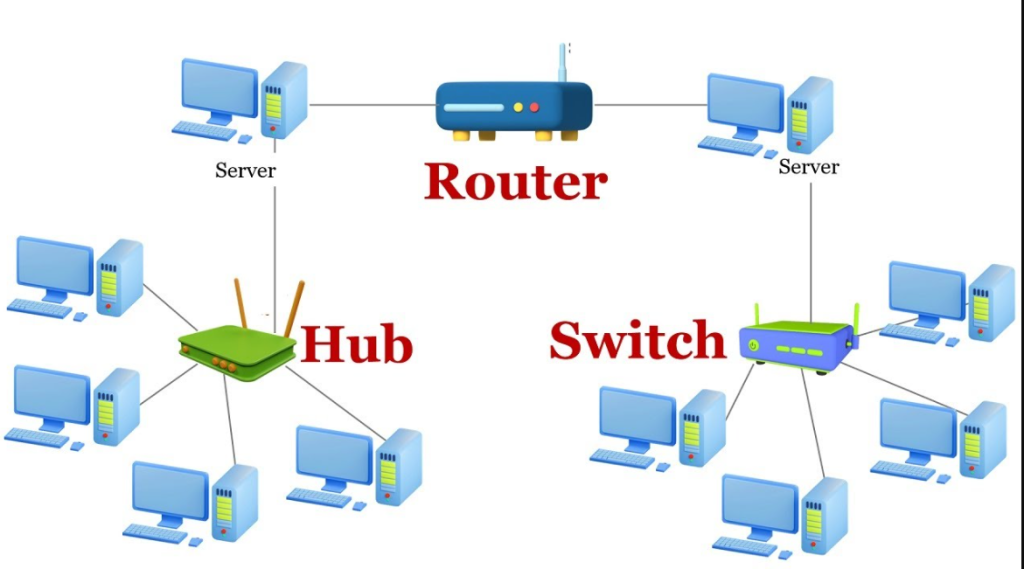
Switch vs Router
Now that both are clear, let’s compare them properly.
| Feature | Switch | Router |
| Works inside | Same network | Between networks |
| Uses | MAC address | IP address |
| Layer | Layer 2 | Layer 3 |
| Job | Deliver locally | Decide paths |
4. Firewall: The Security Gatekeeper
So far, data can flow freely.
That’s dangerous.
Enter the firewall.
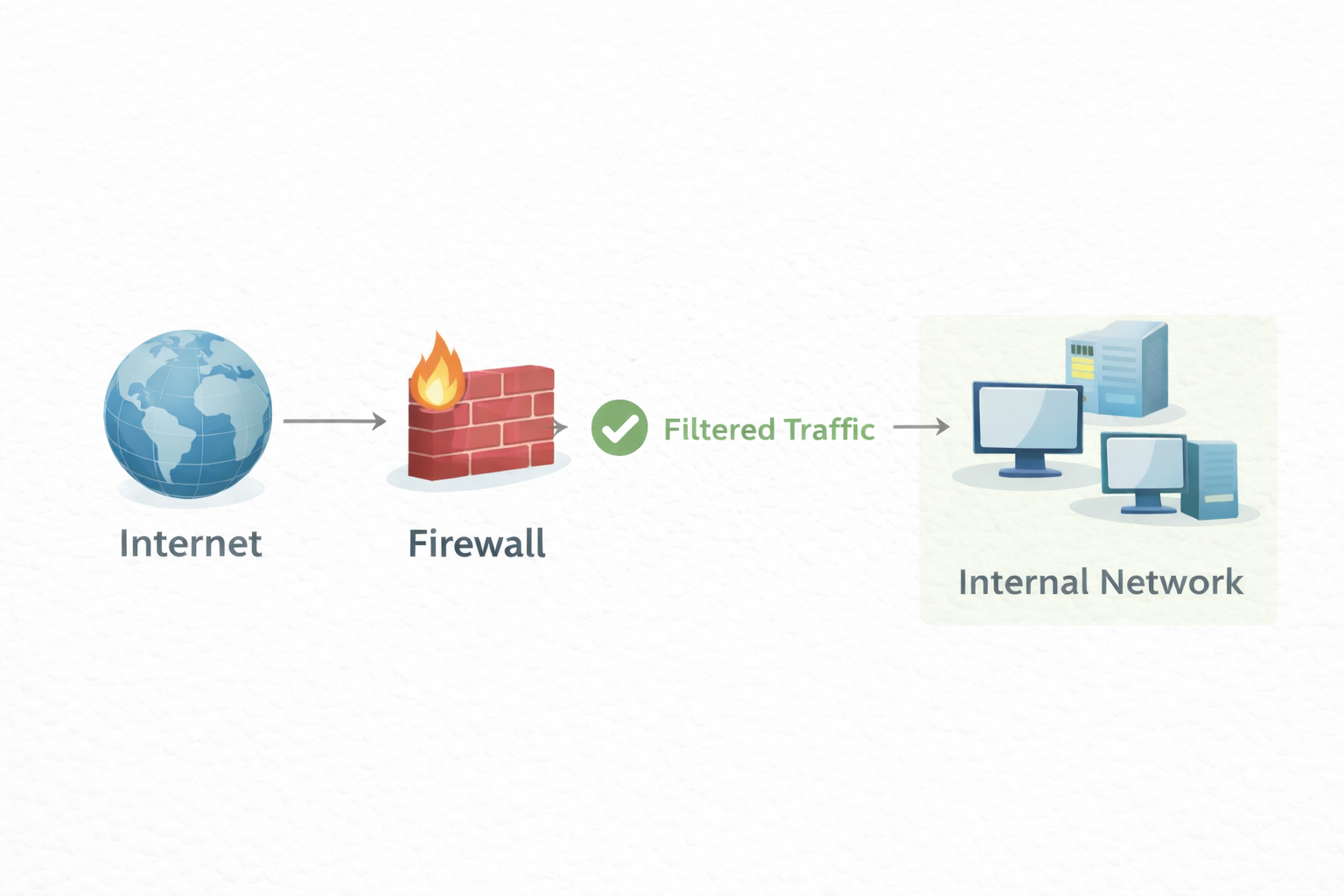
What does a firewall do?
A firewall:
inspects incoming and outgoing traffic
blocks unwanted or suspicious packets
enforces security rules
Think of it as:
The security gate outside a restricted campus.
Responsibilities
Protects network from attacks
Controls access rules
Prevents unauthorized traffic
Firewalls can be:
hardware devices
software-based
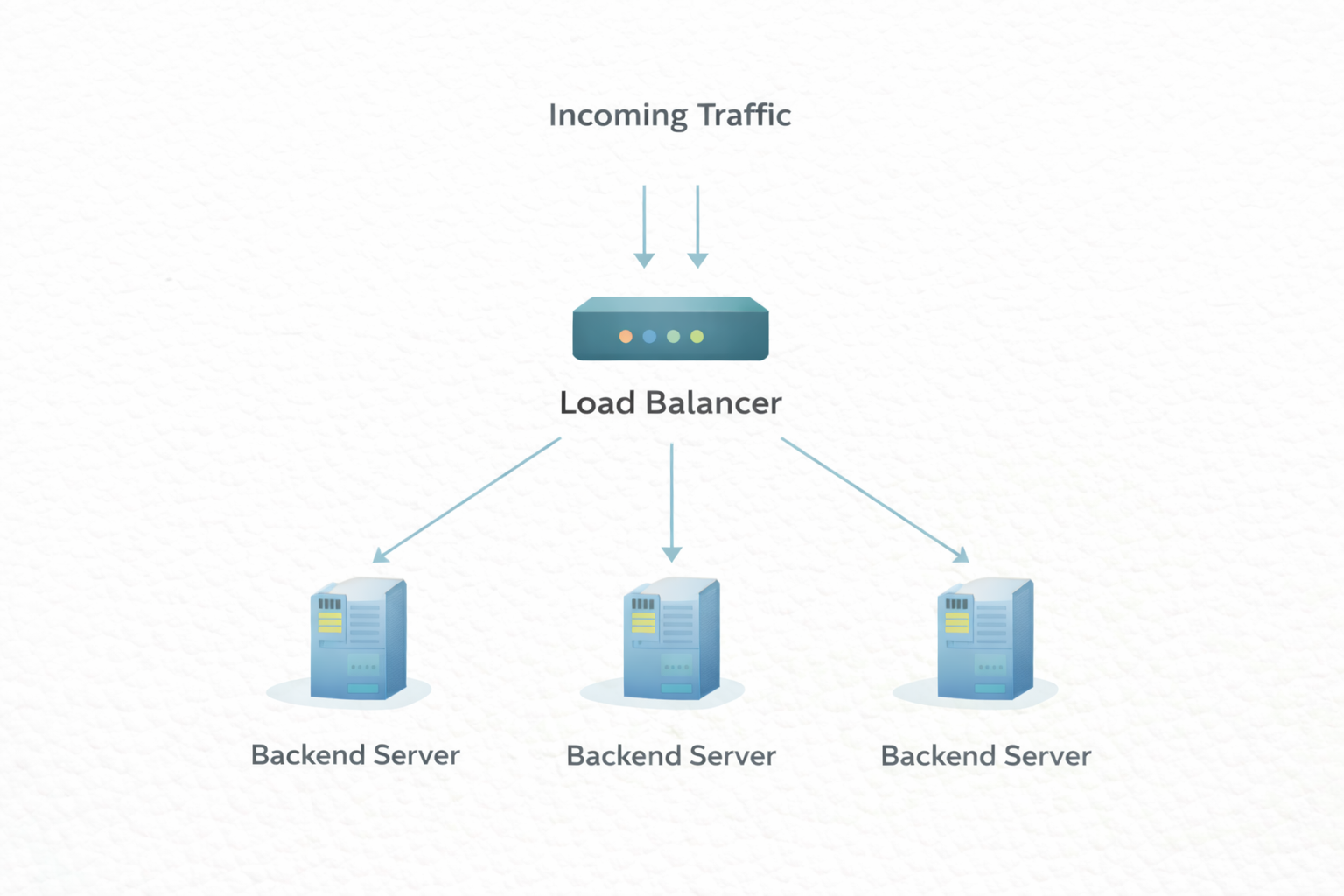
5. Load Balancer: The Reason Scalable Systems Don’t Collapse
Imagine a popular website with millions of users.
If all traffic hits one server, it dies instantly.
That’s why we use load balancers.
What does a load balancer do?
A load balancer:
receives incoming traffic
distributes requests across multiple servers
ensures no single server is overloaded
Think of it as:
A toll booth manager opening multiple lanes during rush hour.
Responsibilities
Traffic distribution
High availability
Fault tolerance
How All These Devices Work Together (Real World Setup)
Let’s trace a real request:
User types a URL in the browser
Request leaves the device → switch
Switch forwards it to router
Router sends it to modem
Modem sends it to ISP → internet
Firewall inspects traffic
Load balancer distributes it
Server processes the request
Response travels back the same path
Closing Thought
In old times, developers blamed “the internet”.
Wise developers today ask:
“Which device in the chain failed its responsibility?”
Knowledge replaces guessing.
And that, my friend, is real engineering.


