Operators

Introduction
When writing programs, we often need to perform operations like:
Adding numbers
Comparing values
Checking conditions
Updating variables
JavaScript provides operators to perform these tasks.
Operators allow us to manipulate data and build logic inside programs.
In this article we will learn:
What operators are
Arithmetic operators
Comparison operators
Logical operators
Assignment operators
What Are Operators?
An operator is a symbol used to perform an operation on values.
Example:
let result = 5 + 3;
Here:
5and3are operands+is the operator
The operator tells JavaScript what action to perform.
Output:
8
Arithmetic Operators
Arithmetic operators are used for mathematical calculations.
| Operator | Meaning | Example |
|---|---|---|
+ |
Addition | 5 + 3 |
- |
Subtraction | 8 - 2 |
* |
Multiplication | 4 * 2 |
/ |
Division | 10 / 2 |
% |
Modulus (remainder) | 10 % 3 |
** |
Exponentiation | 2**8 |
Example:
let a = 10;
let b = 3;

console.log(a + b);
console.log(a - b);
console.log(a * b);
console.log(a / b);
console.log(a % b);
console.log(a ** b);
Output:
13
7
30
3.3333
1
1000
The modulus operator % returns the remainder after division.
Example:
10 % 3 = 1
Comparison Operators
Comparison operators are used to compare two values.
They return either:
truefalse
| Operator | Meaning |
|---|---|
== |
Equal (loose comparison – compares values after type conversion) |
=== |
Strict equal (compares value and type) |
!= |
Not equal (loose comparison) |
!== |
Strict not equal (value or type is different) |
> |
Greater than |
< |
Less than |
>= |
Greater than or equal to |
<= |
Less than or equal to |
Example:
let x = 10;
let y = 5;

console.log(x > y);
console.log(x < y);
console.log(x == y);
Output:
true
false
false
Difference Between == and ===
This is an important concept in JavaScript.
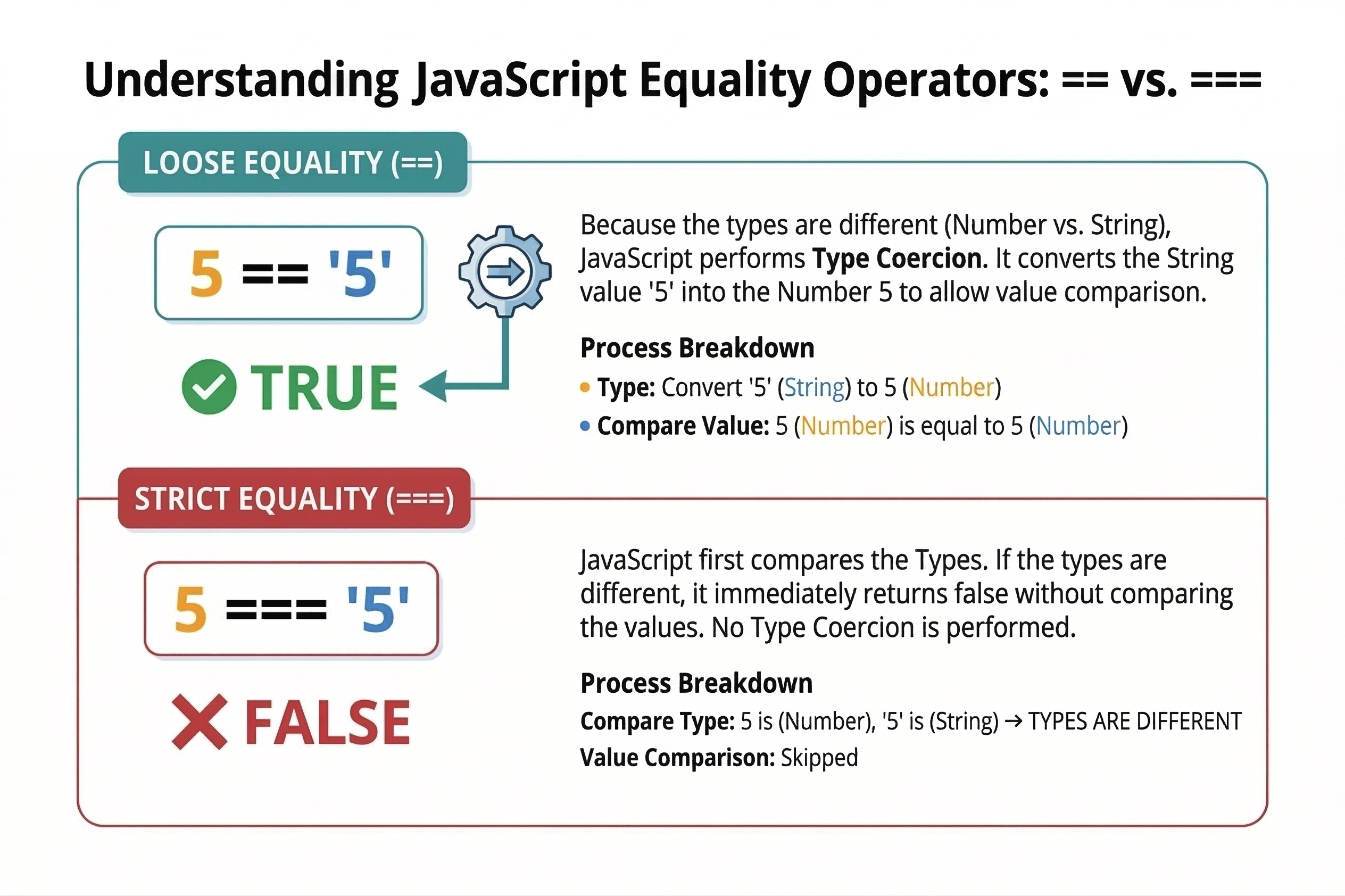
== (Loose Equality)
It compares values after type conversion.
Example:
console.log(5 == "5");
Output:
true
JavaScript converts "5" into a number before comparing.
=== (Strict Equality)
It compares both value and type.
Example:
console.log(5 === "5");
Output:
false
Because:
5→ number"5"→ string
Different types → result is false.
Logical Operators
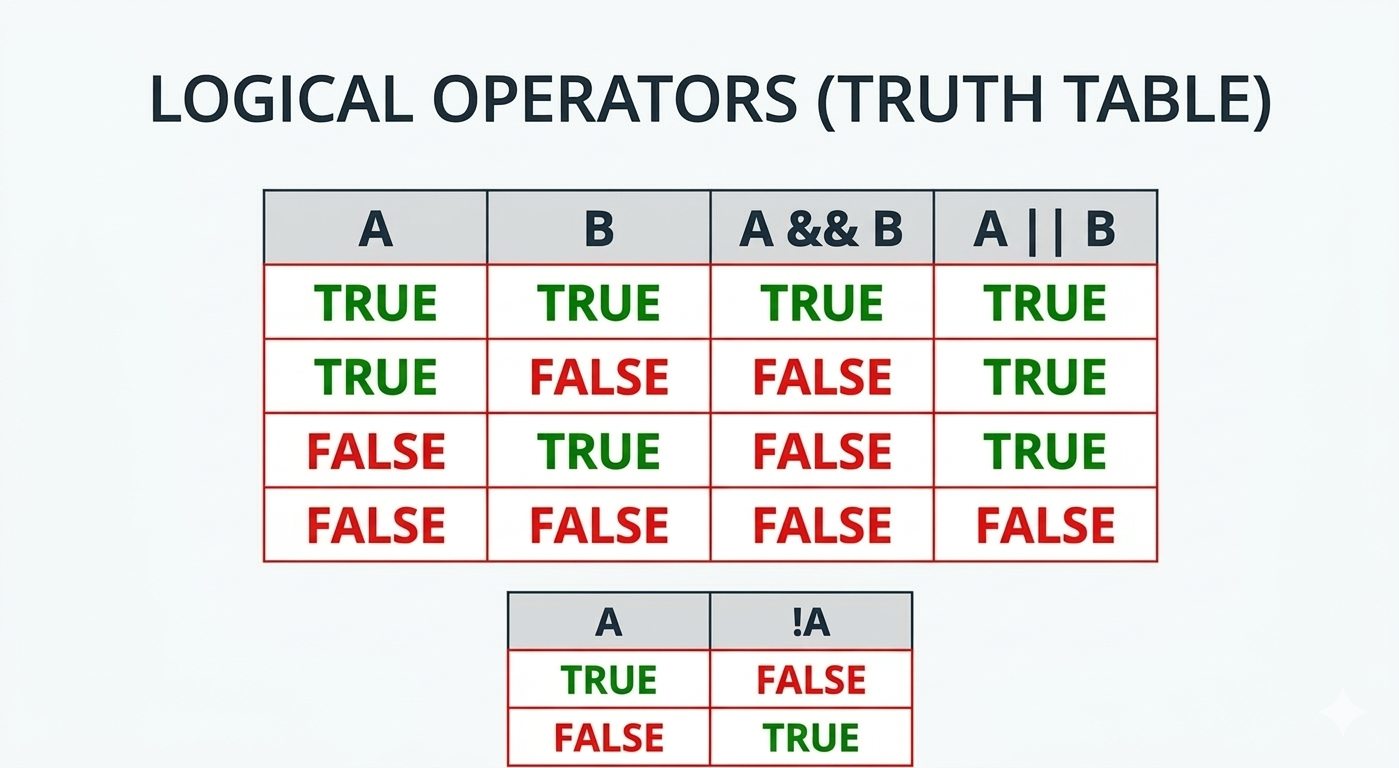
Logical operators are used to combine conditions.
| Operator | Meaning |
|---|---|
| && | AND |
| || | OR |
| ! | NOT |
Logical AND (&&)
Returns true only if both conditions are true.
Example:
let age = 20;
let hasID = true;

console.log(age > 18 && hasID);
Output:
true
Logical OR (||)
Returns true if at least one condition is true.
Example:
let isWeekend = false;
let isHoliday = true;

console.log(isWeekend || isHoliday);
Output:
true
Logical NOT (!)
Reverses a boolean value.
Example:
let isLoggedIn = false;

console.log(!isLoggedIn);
Output:
true
Assignment Operators
Assignment operators are used to assign values to variables.
| Operator | Meaning |
|---|---|
= |
Assign value |
+= |
Add and assign |
-= |
Subtract and assign |
*= |
Multiply and assign |
/= |
Divide and assign |
%= |
Modulus and assign |
**= |
Exponentiation and assign |
Example:
let score = 10;

score += 5;

console.log(score);
Output:
15
Explanation:
score += 5
means
score = score + 5
Assignment Practice
Try these exercises.
1) Arithmetic Operations
let a = 10;
let b = 4;

console.log(a + b);
console.log(a - b);
console.log(a * b);
console.log(a / b);
2) Compare Values
console.log(5 == "5");
console.log(5 === "5");
Observe the difference.
3) Logical Condition
let age = 18;
let hasID = true;

if (age >= 18 && hasID) {
  console.log("Entry allowed");
}
Conclusion
Operators are essential for writing JavaScript programs.
In this article we learned:
What operators are
Arithmetic operators for calculations
Comparison operators for value checking
Logical operators for conditions
Assignment operators for updating variables
These operators are used in almost every JavaScript program.
Understanding them is an important step toward writing real-world applications.


