HTML Basics
Introduction
When you first start learning web development, HTML is the very first thing you encounter.
But many beginners quickly get confused by questions like:
What exactly is an HTML tag?
What is an HTML element?
Are tags and elements the same thing?
Why do some tags have closing tags and some don’t?
This article will clear all of that confusion.
Think of HTML as the skeleton of a webpage.
Just like a human body needs bones to hold everything together, a webpage needs HTML to define its structure.
By the end of this article, you’ll clearly understand:
What HTML is
What tags and elements mean
How browsers read HTML
The difference between block and inline elements
No prior experience required. Let’s start from the basics.
What Is HTML and Why Do We Use It?
HTML stands for HyperText Markup Language.
HTML is not a programming language.
It does not contain logic, conditions, or loops.
Instead, HTML is a markup language, which means:
It describes the structure and meaning of content.
HTML tells the browser things like:
This is a heading
This is a paragraph
This is a link
This is an image
Without HTML, a browser would not know:
Where text starts and ends
What should look important
How content is organized
In simple terms:
HTML defines what the content is.
What Is an HTML Tag?
An HTML tag is a keyword wrapped inside angle brackets (< >).
Example:
<p>
This is an opening tag.
Most HTML tags come in pairs:
An opening tag
A closing tag
Example:
<p>TechGyaan</p>
Here:
<p>→ opening tag</p>→ closing tag
Tags tell the browser how to interpret the content inside them.
Opening Tag, Closing Tag, and Content
Let’s break this down clearly.
Example:
<p>TechGyaan</p>
This has three parts:
Opening tag
<p>Content
TechGyaanClosing tag
</p>
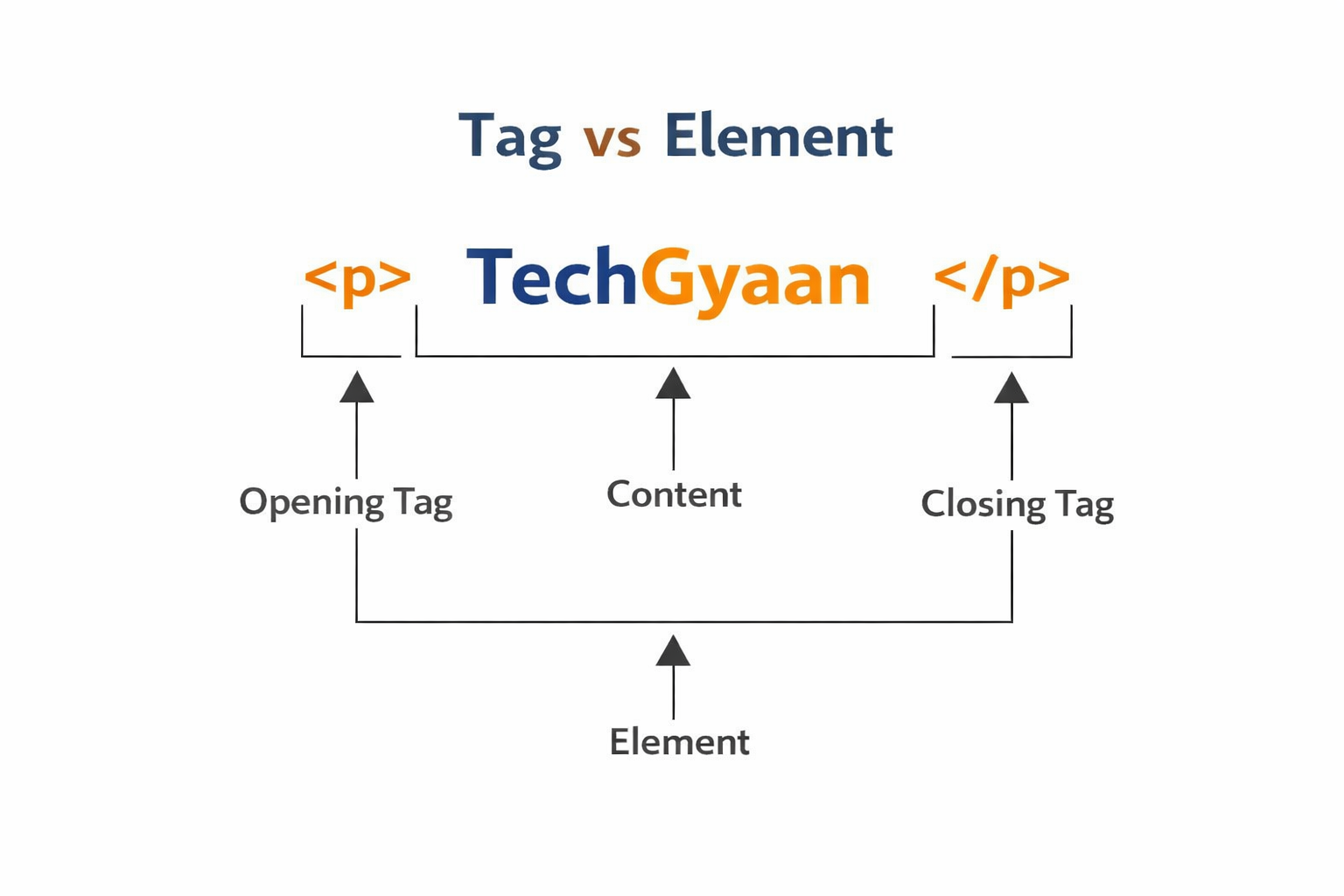
You can think of it like an object inside a box:
The tags are the box
The text is what’s inside the box
What Is an HTML Element?
An HTML element is the complete structure:
Opening tag
Content
Closing tag
Example:
<p>TechGyaan</p>
This entire line is one HTML element.
Important Difference
Tag → Just the markup (
<p>,</p>)Element → opening tag + content + closing tag
Tags build elements.
Self-Closing (Void) Elements
Not all HTML elements have closing tags.
Some elements are called self-closing or void elements.
Examples:
<img>
<br>
<input>
<meta>
These elements:
Do not wrap content
Exist as a single tag
Represent standalone items
Example:
<img src="image.png" alt="A photo">
There is no </img> because the image itself is the content.
Block-Level vs Inline Elements
HTML elements are broadly divided into two categories:
Block-level elements
Inline elements
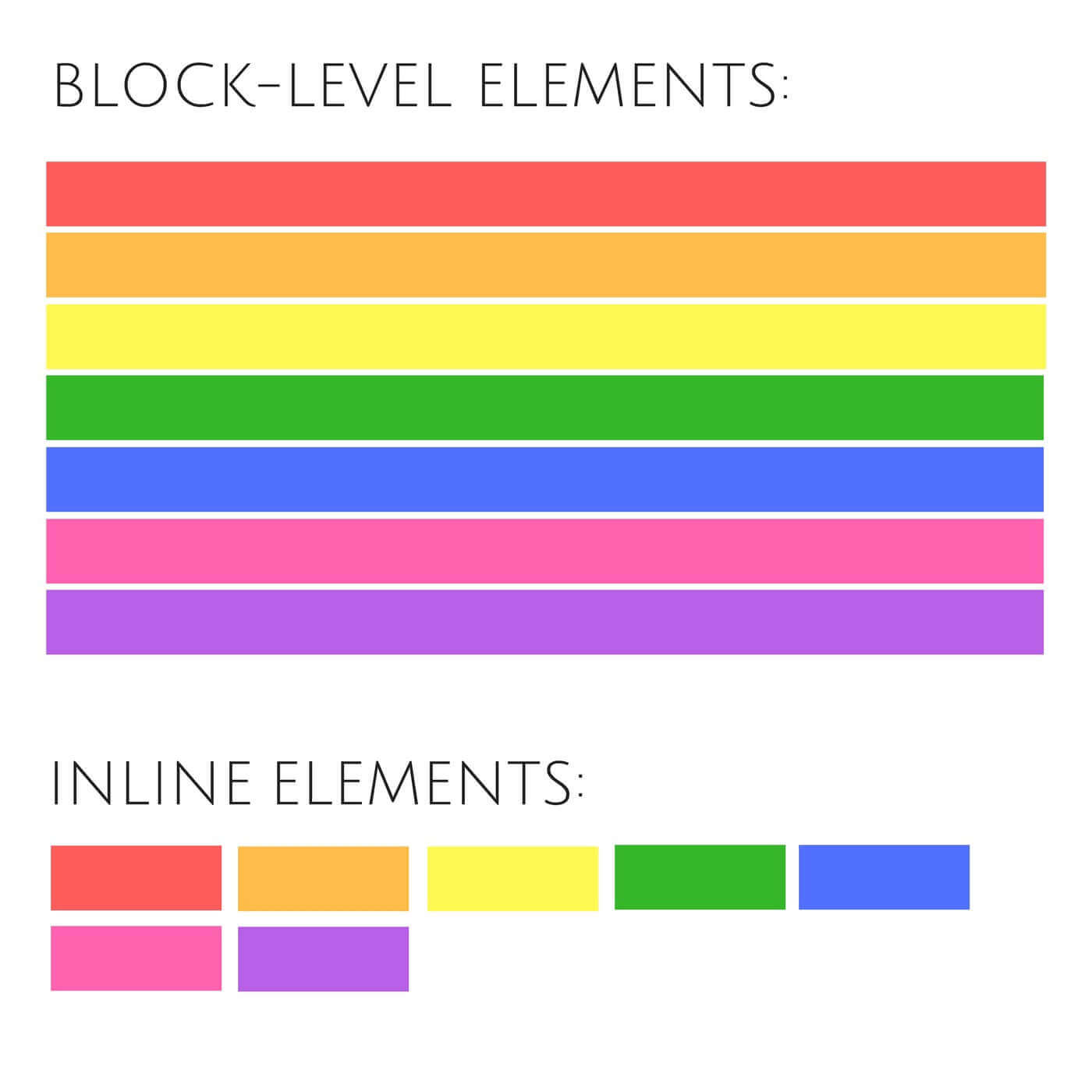
Understanding this helps a lot when you start styling with CSS.
Block-Level Elements
Block-level elements:
Start on a new line
Take up the full width available
Examples:
<h1>
<p>
<div>
<section>
Example:
<p>This is a paragraph</p>
<p>This is another paragraph</p>
These paragraphs appear one below the other.
Inline Elements
Inline elements:
Do not start on a new line
Only take as much width as needed
Examples:
<span>
<a>
<img>
Example:
<p>This is <span id="imp">important</span> text.</p>
Here, <span> stays inside the line.
Commonly Used HTML Tags
Here are some HTML tags you’ll use almost daily:
<h1> to <h6>   → Headings
<p>            → Paragraph
<a>            → Link
<img>          → Image
<div>          → Container
<span>         → Inline container
<ul>, <li>     → Lists
Don’t try to memorize everything at once.
You’ll naturally learn these by using them.
HTML as the Skeleton of a Webpage
A good mental model is this:
HTML → Skeleton (structure)
CSS → Skin and styling
JavaScript → Behavior and interaction
Without HTML:
There is nothing to style
Nothing to make interactive
Everything on the web starts with HTML.
Closing Thought
If you remember just one thing, remember this:
HTML is about structure, not appearance or logic.
Tags describe content.
Elements organize content.
Browsers read HTML and turn it into a visual page.


