Getting Started With cURL
Introduction
When we start learning web development, most of our interaction with the internet happens through a browser. We type a URL, press Enter, and instantly see a webpage.
But as programmers, we often need more control than what a browser gives us.
We want to:
talk directly to servers
test APIs
see raw responses
understand what is really happening behind the scenes
This is where cURL becomes an essential tool.
Server Vs Client
To understand cURL, we first need to understand the difference between a client and a server.
In simple terms:
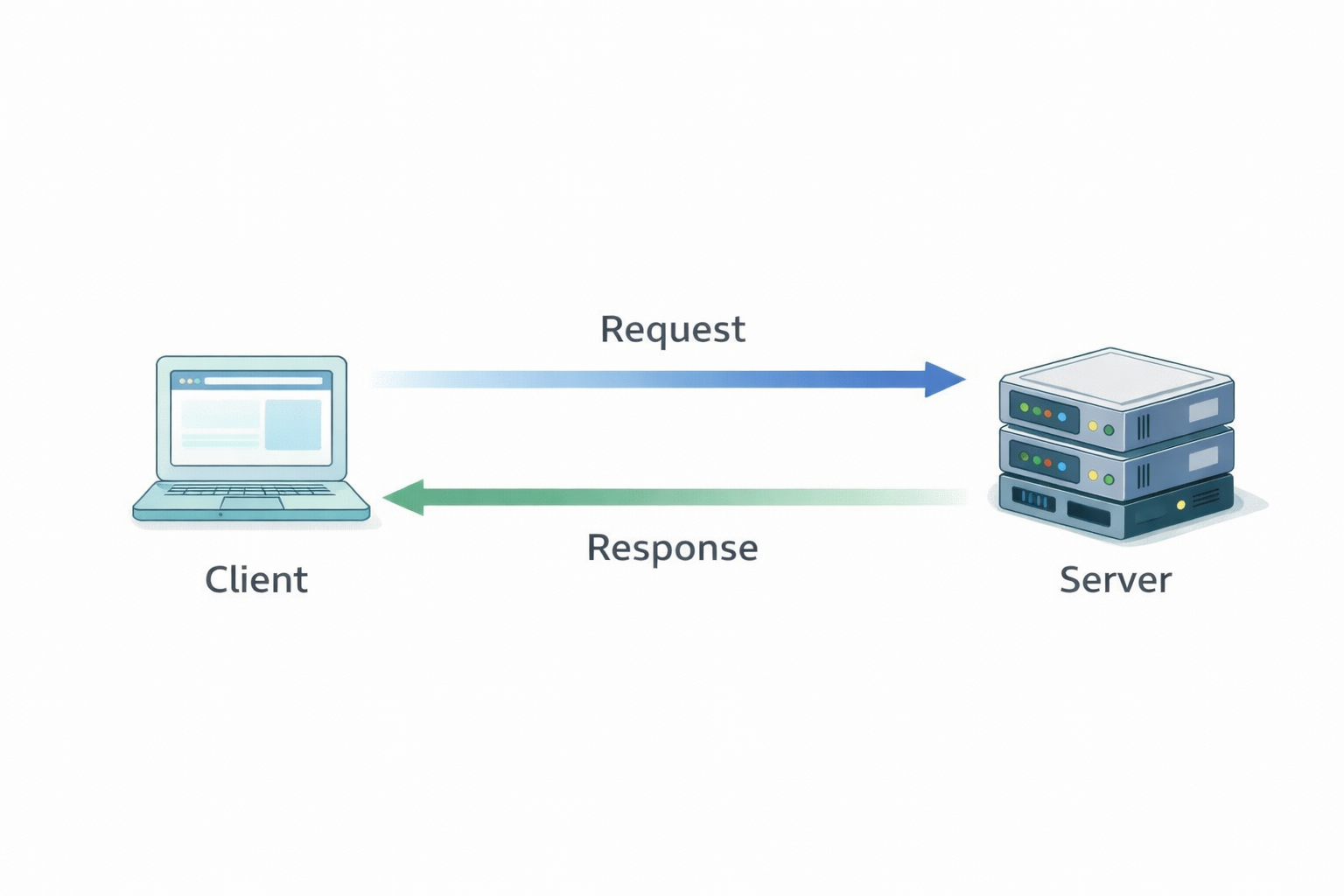
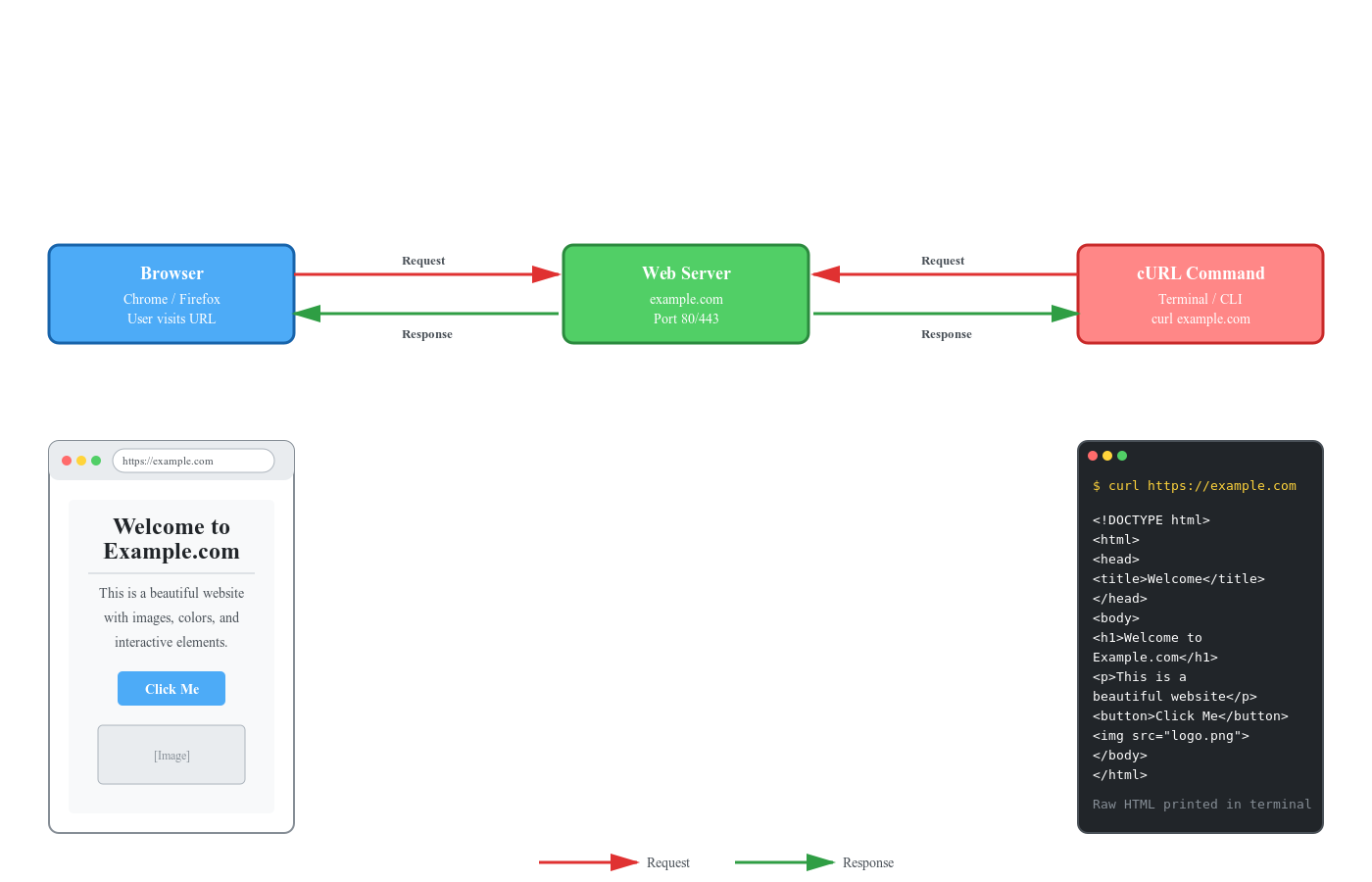
A client (browser, app, or terminal) sends a request to the server
A server is a computer on the internet that processes data and sends back a response
Every time you open a website, this request–response cycle happens silently.
What Is cURL?
cURL is a command-line tool used to send requests to a server and receive responses.
Think of it like this:
A browser sends requests using buttons and UI
cURL sends requests using commands in the terminal
Instead of clicking links, you type commands.
Instead of formatted pages, you see the raw response.
That raw response is exactly what developers need.
Why Programmers Need cURL
Browsers are great for users.
cURL is great for developers.
With cURL, you can:
test backend APIs without a frontend
debug server responses
check whether a server is working
automate requests in scripts
understand HTTP clearly
If you want to work with backend systems, APIs, or DevOps tools, cURL is unavoidable.
Your First cURL Request
Let’s start with the simplest possible example.
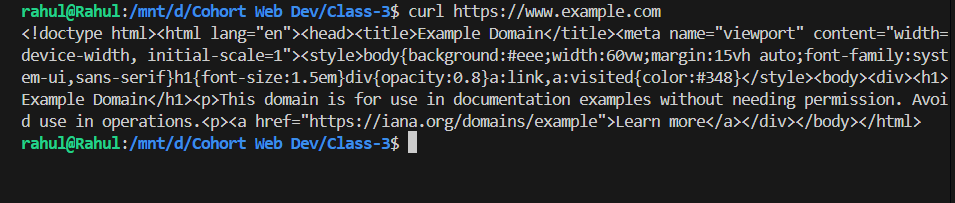
curl https://example.com
That’s it.
This command:
sends a request to the server
prints the server’s response in the terminal
You are now talking directly to a server — without a browser.
Using cURL to Talk to APIs
APIs are servers that return data instead of webpages.
With cURL, calling an API is very easy.
Example:
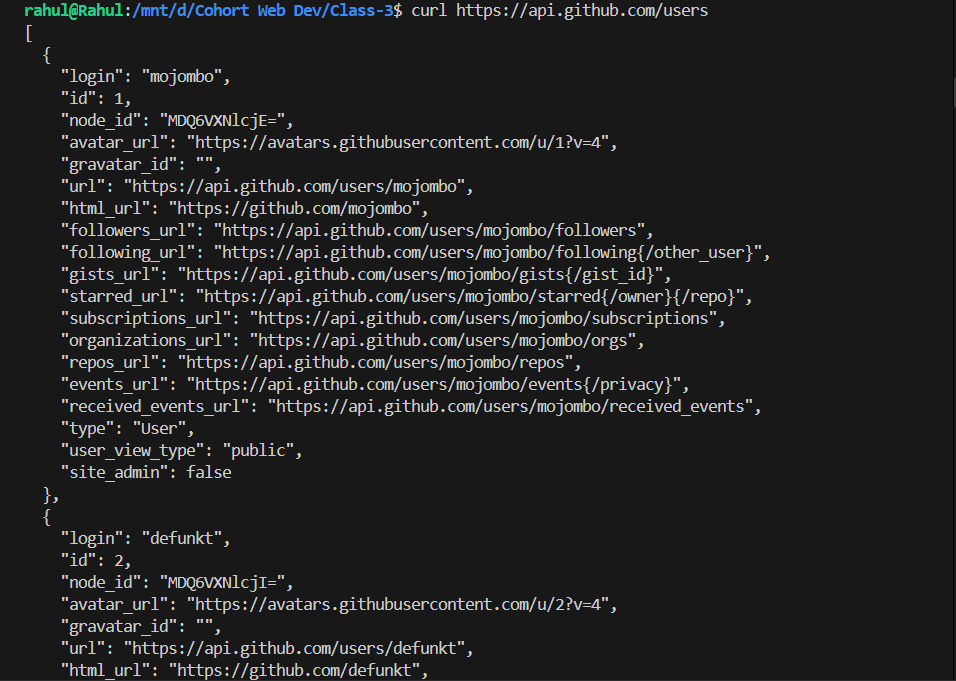
curl https://api.example.com/users
This sends a request to the API and prints the response, often in JSON format.
Using cURL, you can:
inspect API responses
debug backend logic
test endpoints before frontend is ready
Common Mistakes Beginners Make with cURL
Many beginners struggle because they try to do too much too early.
Common mistakes include:
using too many flags without understanding them
memorizing commands instead of understanding responses
jumping into authentication and headers too early
treating cURL as a “trick” instead of a learning tool
The correct approach is:
start simple
read responses carefully
gradually build understanding
Browser vs cURL: Why Both Matter
Browsers:
are user-friendly
hide complexity
focus on presentation
cURL:
exposes raw communication
shows actual data exchange
helps developers debug and learn
A good developer understands both perspectives.
Closing Thought
cURL is not complicated.
It is simply honest.
It shows you:
what you sent
what the server returned
If you truly want to understand web development,
learning cURL is a strong first step.


